
📊 Full opportunity report: How to Reduce Heat and Noise in a High-Power AI Workstation on ThorstenMeyerAI.com — validation score, market gap, and execution plan.
TL;DR
High-power AI workstations generate significant heat and noise due to continuous GPU load. Key solutions include undervolting GPUs, improving airflow, and optimizing cooling systems to maintain performance and reduce disturbance.
High-power AI workstations produce excessive heat and noise during sustained workloads, impacting both hardware performance and user comfort. Recent guidance emphasizes targeted cooling and power management strategies to mitigate these issues effectively.
AI workstations operating under continuous load generate heat primarily from GPUs, which can reach temperatures that trigger loud fan noise and thermal throttling. Unlike gaming PCs, these systems run at near-constant high utilization, making traditional cooling approaches less effective. The main sources of heat are the GPUs, CPUs, power supplies, and VRMs, with GPU fans usually being the loudest component under load.
Key methods to reduce heat and noise include undervolting GPUs to lower power consumption without sacrificing performance, capping power limits to prevent excessive heat generation, and improving case airflow to facilitate better heat dissipation. These adjustments can significantly decrease fan speeds and overall noise levels, especially during long inference sessions. Additionally, optimizing cooling hardware—such as using high-quality coolers and managing fan curves—further enhances thermal performance.
An AI workstation isn’t a gaming PC —
and that’s why it runs hot.
Local inference is a sustained load: the GPU sits near full power for hours with no loading screens, so the heat never dissipates and the fans never get a break. Here’s where the heat comes from — and the five levers that reduce it.
Importance of Managing Heat and Noise in AI Workstations
Effective heat and noise management in high-power AI workstations is critical for maintaining hardware longevity, ensuring consistent inference performance, and providing a comfortable working environment. Without proper cooling, components risk overheating, leading to reduced lifespan and potential hardware failures. Noise reduction improves user experience, especially in office or shared spaces, making AI workloads more practical for everyday use.
GPU undervolting software for high-performance workstations
As an affiliate, we earn on qualifying purchases.
As an affiliate, we earn on qualifying purchases.
Why AI Workstations Run Hotter Than Gaming PCs
Unlike gaming PCs, which experience bursty loads with idle periods, AI inference workloads demand sustained GPU utilization, often for hours. This continuous high load causes heat to accumulate, as the cooling system cannot recover between spikes. Power draw is also higher, with GPUs like the RTX 5090 rated at 575W and dual-GPU setups exceeding 800W, translating into more heat and noise. Traditional cooling solutions designed for gaming are insufficient for this persistent thermal output, necessitating tailored approaches for AI workstations.
“Undervolting and optimizing airflow are the most cost-effective ways to reduce heat and noise in high-power AI systems.”
— Thorsten Meyer, AI hardware expert

Cooler Master HAF II 500 ATX PC Case, High Airflow Dual 220mm + 180mm Fans
- Cooling System: Dual 220mm and 180mm fans for airflow
- Airflow Design: Large ventilation openings for better airflow
- Cable Management: Split-level design for optimized routing
As an affiliate, we earn on qualifying purchases.
As an affiliate, we earn on qualifying purchases.
Uncertainties in Optimal Cooling and Power Strategies
While undervolting and airflow improvements are proven effective, the precise settings and configurations vary by hardware and workload. The long-term effects of aggressive undervolting on hardware stability are still being studied, and the best cooling solutions depend on case design and ambient conditions. More empirical data is needed to establish universal best practices for all high-power AI workstations.

AI Data Center Infrastructure Engineering: Power Distribution, Liquid Cooling, High-Density Networking, and Energy Efficiency for GPU Training Clusters … Hardware & Compiler Engineering Series)
As an affiliate, we earn on qualifying purchases.
As an affiliate, we earn on qualifying purchases.
Next Steps for Improving AI Workstation Cooling
Users should experiment with undervolting and power capping techniques tailored to their specific hardware. Manufacturers may release firmware updates or new cooling accessories optimized for AI workloads. Further research into case design, liquid cooling options, and noise reduction technologies will continue to enhance thermal management. Monitoring tools and real-time temperature management will become increasingly important for maintaining optimal performance.

12V PC Fan Speed Controller, Fan Power Supply 100-240V AC to 3-12V DC 36W Adjustable, with Fan Splitter Cable 4X 3pin or 4pin Connector AC DC Adapter
- Adjustable Voltage Output: 3-12V DC, 36W max power
- Universal AC Input: 100-240V AC compatible
- Supports Multiple Fans: Includes 4-way splitter cable
As an affiliate, we earn on qualifying purchases.
As an affiliate, we earn on qualifying purchases.
Key Questions
How can I safely undervolt my GPU for AI workloads?
Use manufacturer-provided tools or trusted third-party software to gradually reduce voltage while monitoring stability and temperatures. Follow guides specific to your GPU model to avoid instability or hardware damage.
What cooling hardware is best for a high-power AI workstation?
High-quality air coolers, custom liquid cooling loops, and well-designed case fans with high static pressure are recommended. Proper airflow management is crucial to dissipate heat effectively.
Does increasing case airflow significantly reduce noise?
Yes, improving airflow can lower fan speeds needed for cooling, thereby reducing noise. Proper case design and fan placement are key factors.
Are there risks associated with undervolting or power capping?
While generally safe when done correctly, aggressive undervolting or power limiting can cause system instability or crashes if not tested carefully. Follow best practices and monitor system behavior.
What other measures can help reduce noise besides fans?
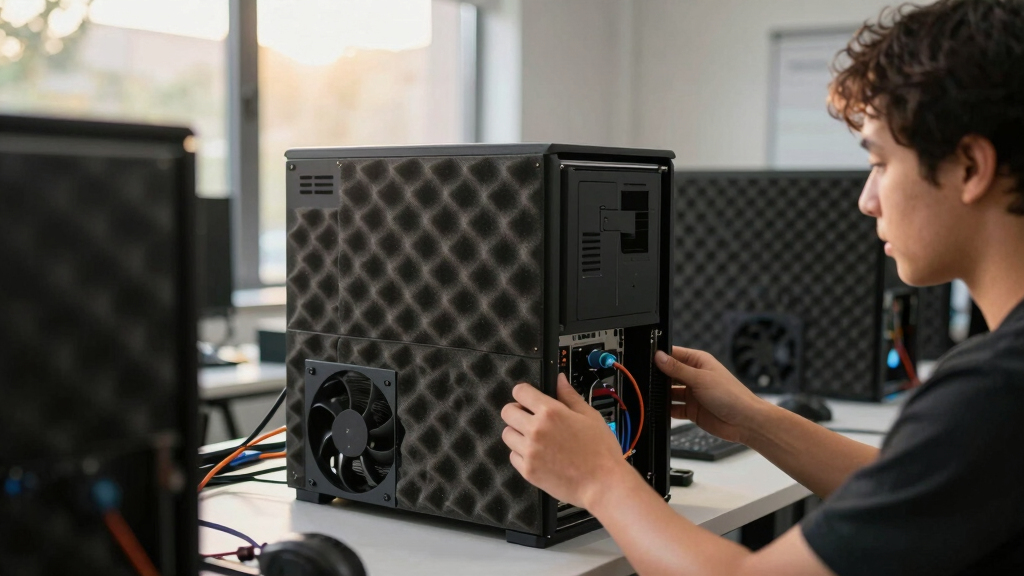
Using vibration-dampening mounts, soundproofing cases, and selecting components with quieter operation can further decrease noise levels.
Source: ThorstenMeyerAI.com