
TL;DR
Prebuilt AI workstations now often match or beat DIY on price and save time, thanks to component shortages and bulk buying. The choice depends on your need for control, support, and customization.
Building your own AI workstation used to be the straight path to saving money and customizing every detail. But in 2026, that’s no longer a given. Supply chain issues, component shortages, and bulk buying mean prebuilt systems are often just as affordable — or even cheaper — and ready to go out of the box.
This shift makes the build vs buy question more nuanced than ever. Do you want the absolute control, or do you prefer immediate deployment, warranty, and support? Let’s explore which option makes sense for your workload, your timeline, and your budget today.
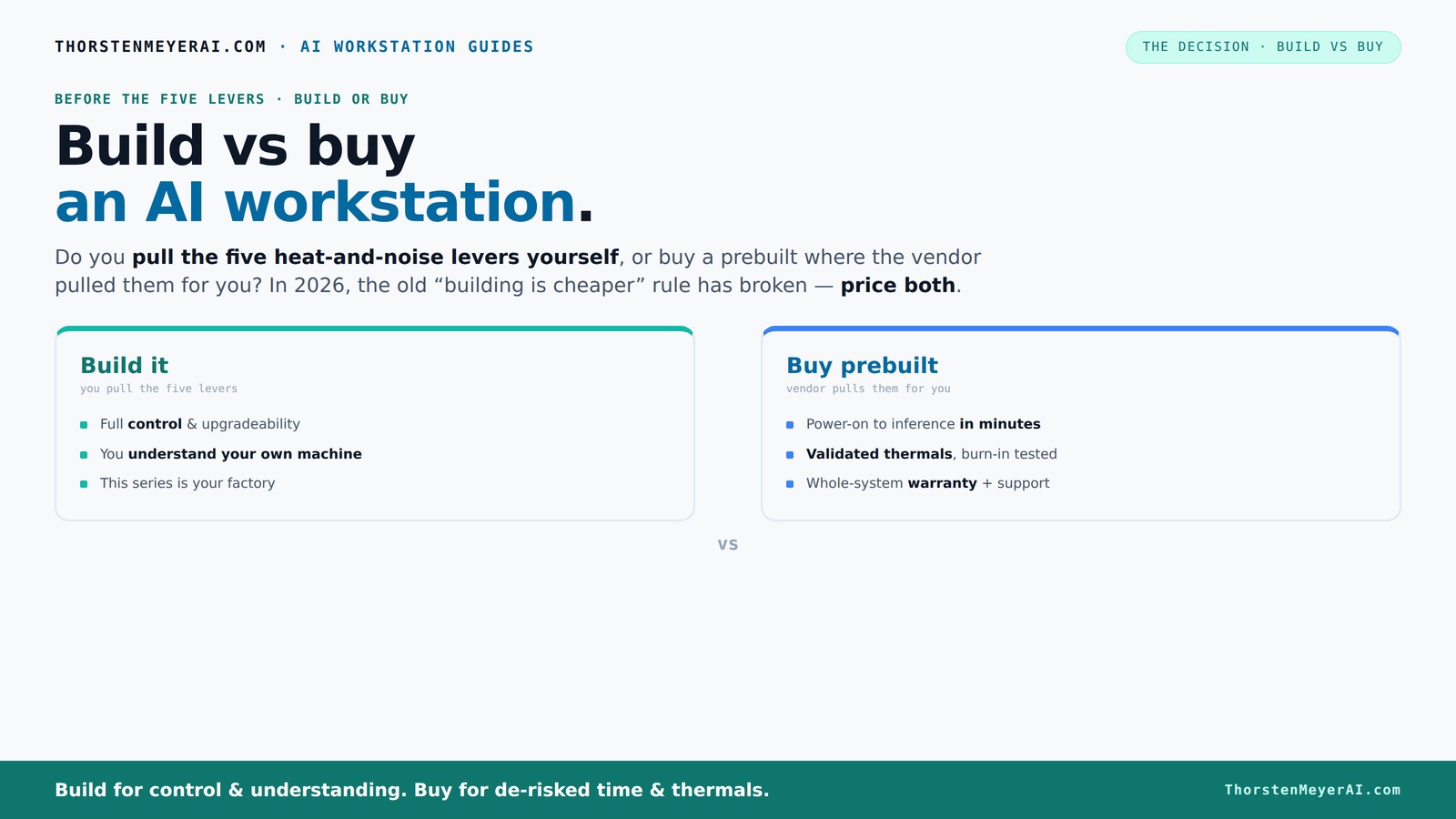
Build vs buy
an AI workstation.
The real question behind this whole series: do you pull the five heat-and-noise levers yourself, or buy a prebuilt where the vendor pulled them for you? And in 2026, the old “building is cheaper” rule has broken. Match your situation in Part 3.
Key Takeaways
- In 2026, prebuilt AI workstations often match or beat DIY on price, thanks to bulk buying and component validation.
- Buying a prebuilt reduces setup time, guarantees thermal performance, and includes warranty support — crucial for uptime.
- DIY offers maximum control over GPU, cooling, and configuration, ideal for specialized workloads or hobbyists.
- Cost comparison today requires re-pricing components, as shortages and inflation have shifted the market.
- Your choice depends on whether you prioritize immediate use, support, or customization — no one-size-fits-all answer.

HELLOLAND Ocean of Stars AI Gaming PC - AMD Ryzen 7 9700X 8-Core 3.8GHz- RTX 5060 8GB- 16GB DDR5 6000MHz RAM-1TB PCIe SSD- 850W PSU-240mm AIO & ARGB Software - Windows 11 Desktop Computer-Black
【The Ryzen 7 Content Engine: 8 Cores for Creation】 The AMD Ryzen 7 9700X (8-Core, 16-Threads, up to...
As an affiliate, we earn on qualifying purchases.
As an affiliate, we earn on qualifying purchases.
Why 2026 Changes Everything About Building vs Buying
Component shortages and rising prices have flipped the script. What used to be a no-brainer — build cheaper, buy faster — no longer holds. A recent analysis shows that a DIY AI system that cost $1,000 in 2024 now hits $1,250+ due to GPU, RAM, and SSD price spikes.
Meanwhile, prebuilt vendors like Lambda and BIZON have bought components in bulk, locking in lower prices. They validate thermals, run stress tests, and ship systems ready to handle heavy workloads. Sometimes, they beat the DIY cost by a significant margin, especially on high-end multi-GPU setups.
So, the old rule of thumb — build for savings, buy for speed — is outdated. Instead, you need to compare both options today, considering cost, time, and control.

msi Gaming RTX 5080 16G SUPRIM Liquid SOC Graphics Card (16GB GDDR7, 256-bit, Extreme Performance: 2760 MHz, DisplayPort x 3 2.1a, HDMI 2.1b, NVIDIA Blackwell Architecture)
Chipset: NVIDIA GeForce RTX 5080
As an affiliate, we earn on qualifying purchases.
As an affiliate, we earn on qualifying purchases.
The Five Levers of a High-Power AI Workstation — Who Pulls Them?
Imagine your AI rig as a furnace that needs to stay cool and quiet. The five levers are undervolting the GPU, matching the right cooler, optimizing airflow, tuning fans, and proper placement. Who pulls these levers? You or the vendor.
When you buy prebuilt, the vendor handles all this. They run extensive testing, fine-tune fan curves, and often include water-cooling for quieter operation. It’s a factory-tuned machine, ready to perform without you tinkering. You can learn more about build vs buy a prebuilt AI workstation.
If you build yourself, you’re in charge. You pick a quiet GPU, undervolt it (see here), choose a silent cooler (more here), and set up airflow (see setup tips). That’s where your expertise shines.

SUNEAST Black Series 2TB SSD Gen5, PCIe 5.0x4 NVMe M.2 2280 - Up to 14,800 MB/s Read, 12,800 MB/s Write, Solid State Drive for High-Performance Computing, Gaming and AI Workstations
Extreme Speed & Advanced Efficiency – Achieve sequential read speeds up to 14,800MB/s and write speeds up to...
As an affiliate, we earn on qualifying purchases.
As an affiliate, we earn on qualifying purchases.
When to Opt for a Prebuilt: The Fast Lane
If your priority is getting started fast, prebuilt is the clear winner. It comes with the OS and AI software stack (CUDA, PyTorch, TensorFlow) preinstalled. You power it on, and you're ready for inference or training.
Plus, a reputable vendor has already tested the system under sustained load. They stand behind it with warranties up to 5 years (see Puget’s warranty). This reduces downtime and troubleshooting — critical if uptime matters for your business or research.
High-end multi-GPU systems, especially, benefit from vendor validation. They handle complex cooling and power delivery that’s tricky to perfect yourself.
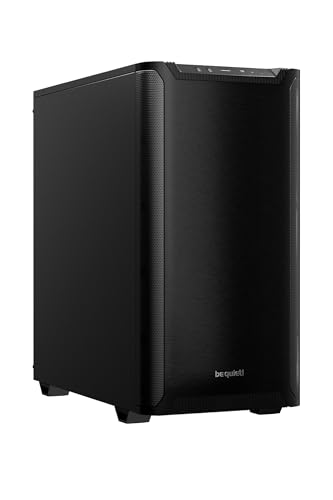
be quiet! Pure Base 501 Black ATX Case | 2 Preinstalled Pure Wings 3 140mm PWM Fans | Optimized Air Pressure | Compact PC Case | Vertical GPU Installation | USB 3.2 Gen. 2 Type C | BG073
Without any distractions, Pure Base 501 is reduced to excel at its core functions and is aimed at...
As an affiliate, we earn on qualifying purchases.
As an affiliate, we earn on qualifying purchases.
When Building Yourself Makes More Sense
Building your own AI workstation makes sense if you crave control and customization. Want a specific GPU like the RTX 4090 or a rare cooling solution? Building allows you to pick each part — see this guide.
It’s also more cost-effective if you’re willing to spend the time researching, assembling, and tuning. You can optimize thermals, airflow, and even overclock for extra performance.
For hobbyists or students, the joy of tinkering — and learning — can outweigh the extra effort. Plus, if you’re prepared for troubleshooting, building can be cheaper overall, especially if component prices drop or you hunt for deals.
How to Decide: Build or Buy in 2026 — The Checklist
Here’s a quick decision guide, and you can also read more about build vs buy a prebuilt AI workstation to help inform your choice.
- Speed to deployment: Need it fast? Buy.
- Budget flexibility: Want the lowest upfront cost? Build.
- Workload complexity: Training multi-GPU models? Prebuilt vendors validate cooling.
- Technical skill & time: Enjoy tinkering? Build. Prefer convenience? Buy.
- Support needs: Need warranty and support? Prebuilt wins.
- Customization requirements: Need a specific GPU or cooling? Build is better.
Compare your priorities against this checklist to make the best call. If you want to explore more about build vs buy a prebuilt AI workstation, check out this resource.
Common Mistakes to Avoid When Choosing
- Ignoring current prices: Don’t assume DIY is cheaper without re-pricing parts today.
- Overlooking thermal validation: Cheap parts can throttle under load, hurting performance and stability. Validating thermals ensures the system can sustain heavy workloads without overheating, which directly impacts productivity and hardware longevity.
- Forgetting support and warranties: DIY means managing warranties yourself, which can be a headache. Without proper support, troubleshooting hardware issues can lead to costly delays and frustration.
- Choosing incompatible parts: Double-check compatibility, especially for cooling and power supply. Missteps here can cause system instability, damage, or the need for costly replacements.
- Underestimating the time involved: Building, troubleshooting, and tuning take hours or days. Overlooking this can lead to missed deadlines or unanticipated costs.
Frequently Asked Questions
Is a prebuilt AI workstation worth it?
Yes, for most users in 2026, a prebuilt offers faster setup, validated thermals, and warranty support. It’s especially beneficial if uptime and reliability are critical or if you lack the time or expertise to build yourself.
Is building my own AI workstation actually cheaper?
Not always. Due to component shortages and rising prices, DIY might no longer be cheaper. You must re-price parts today and consider your time, troubleshooting, and thermal tuning costs.
How much performance do I lose with a prebuilt system?
Typically, very little. Reputable vendors validate and optimize thermal performance, so a prebuilt often runs just as well as a custom build — sometimes better due to factory tuning.
What do I gain from a custom build that I can't get from a prebuilt?
Maximum control over GPU choice, cooling solutions, and component layout. You can tailor the system precisely to your workload and even upgrade or modify later.
When does it make sense to choose a workstation over cloud GPUs?
If you run workloads frequently or need low latency, owning your own system can be cheaper over time. Also, data privacy and avoiding cloud costs make local machines appealing for sustained use.
Conclusion
Choosing between building and buying your AI workstation in 2026 isn’t just about saving dollars — it’s about balancing control, speed, and peace of mind. Prebuilts now often offer the best value for most users, especially when time and reliability matter.
If you enjoy tinkering, building can still be rewarding and cost-effective, but for most, grabbing a validated prebuilt means less hassle and more focus on your actual work. Think about your workload, your skills, and your timeline — then pick what makes sense today.